Technical Issues - Excel VBA dialogs in BASIC
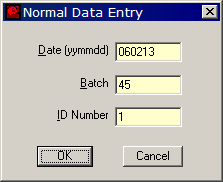
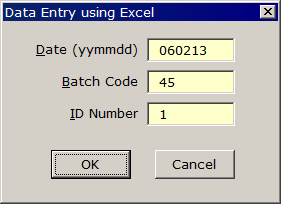
An alternative to FilmStar/Scantraq BASIC dialogs is possible on computers with Excel. Examples are provided in Dialog.bas and DialogXL.bas in ..\Winfilm\Basic32. This technique should appeal to users who find Excel VBA dialogs easier to deal with.
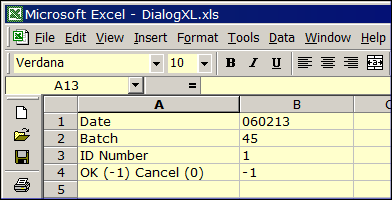
While it is possible to adjust dialog fonts in FilmStar BASIC (see ..\Winfilm\Fnum32Bold.bas) it is a somewhat difficult procedure involving Dialog Functions. It is also possible, but also difficult, to make a 'smart' dialog which reacts to user input (see ..\Winfilm\LayCalc.bas). In Excel VBA, users can adjust fonts and colors at will and take advantage of events such as KeyDown and KeyPress to react to user input. Note that the transfer of values to and from FilmStar BASIC is via spreadsheet cells.
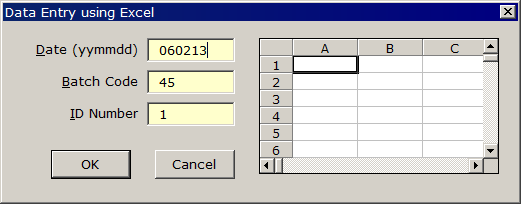
As usual, the latest FilmStar BASIC macros (including the above-mentioned examples) can be found in the complete installation and in Our own opinion is that it is best to stay with normal FilmStar BASIC dialogs (taking the time to master Dialog Functions) for relatively straightforward dialogs (which most are) and use Excel VBA in cases where extensive processing at the dialog level is required. Can OCX controls installed by FilmStar be used in Excel VBA as shown below (FarPoint Spread grid control FPSPR70.ocx)? Unfortunately, the answer is no unless a development license for the control is purchased.
|

Copyright © 2023 FTG Software Associates
Last updated on
January 31, 2023